Connections User Interface
Connectors and Picklists generally require a server address and login credentials or a connection string in the case of a database. In the past you had to configure these parameters for every connector instance you added to a template or picklist you created - even if you were connecting to the same server and using the same credentials. Connections allow you to configure this once only and then to reference the connection in every connector and/or picklist, in any template, that needs a connection to the particular server. If you need to change the address of the server you want to connect to you can now do it in one place - on the connection level. All the connectors and/or picklists in all templates that reference the connection will automatically use the updated connection. In addition, you can control which users and or groups are allowed to connect to the particular server through permissions. We cover permissions in the Permissions section.
Connections also facilitate the Single Sign On (SSO) capability of connectors and picklists. When a connector or picklist executes it is done with the identity of the user who is logged in at the MFP or Desktop client. When an uploaded document is processed by the ScannerVision Processing Server every connector defined in the template will process the document as the user who uploaded it.
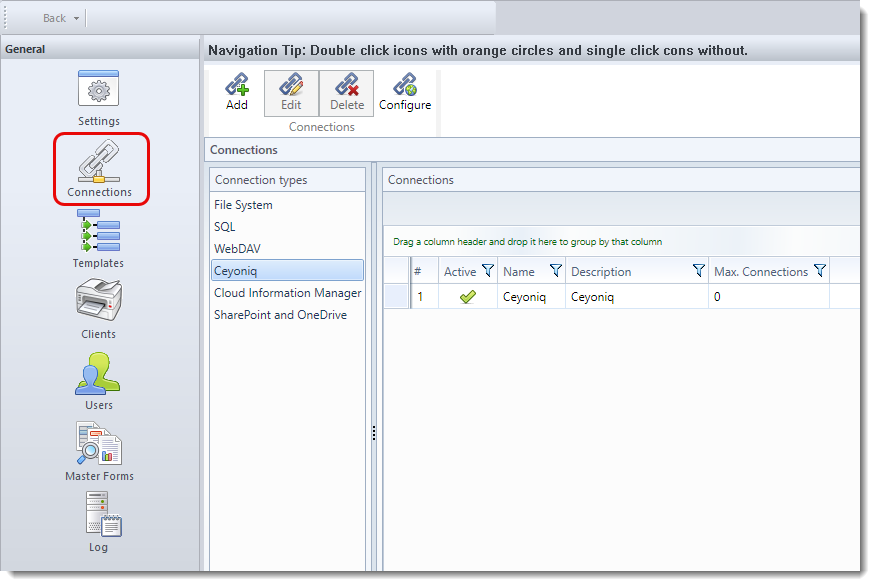
The Connections screen is shown below. The entries in the “Connection types” list is determined by the connectors you have installed.